



Check if the SSD (Samsung 870 Evo) you bought on AliExpress is genuine
This article is a translation of the following my article:
Original: AliExpressで買ったSSD(Samsung 870 Evo)が本物かチェックする
* Translated automatically by Google.
* Please note that some links or referenced content in this article may be in Japanese.
* Comments in the code are basically in Japanese.
by bokumin
Verify if the SSD (Samsung 870 Evo) purchased is genuine on AliExpress
Introduction
Recently I’ve become addicted to Ariek. I often buy PC cables and small parts because they are sold cheaply, but so far I haven’t had any problems with them, so I decided to take a little adventure and purchase an SSD.
The product is as shown in the image below.
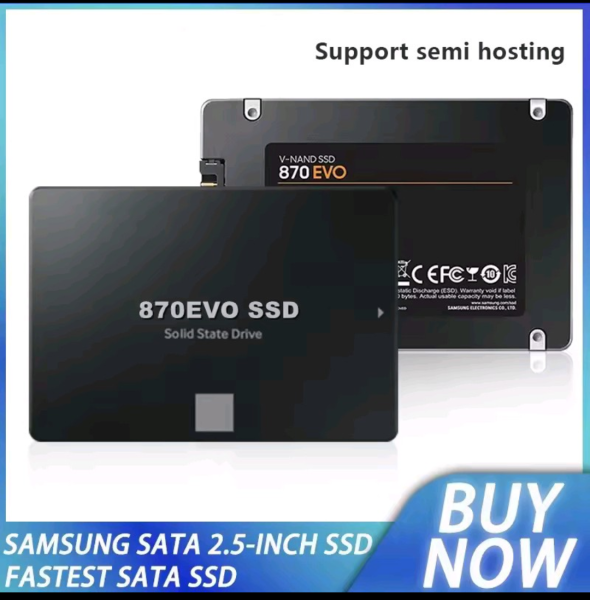
It is 2TB of SAMSUNG 870 EVO. This is Ariek, and the original price of 8,900 yen was about 4,000 yen, which is an unprecedented price. Although I had some doubts about the fact that it was quite cheap compared to the official product and was even less than half the price on sale, I decided to purchase it because I thought, “If it’s genuine, I can make a profit, and if it’s a fake, I can make a profit.”

When I asked the shop if it was genuine before purchasing, I was told that it was a “genuine Samsung product.” Although the Japanese language was a little unnatural, the shop confidently claimed that it was authentic.
SSD arrival and appearance check
I think it arrived about 10 days after I purchased it. This is the product that actually arrived.
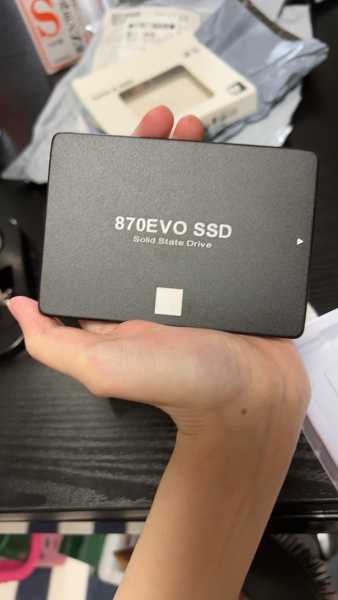
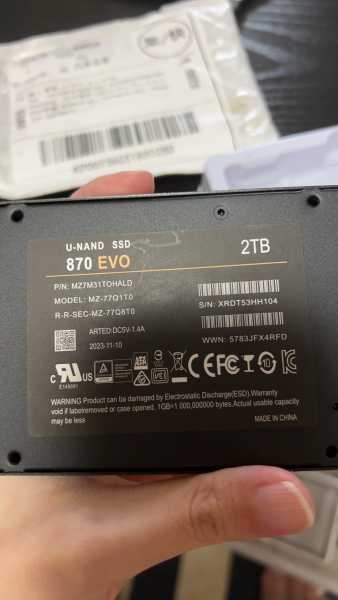
Although the outer box was obviously different, it looked like a genuine product.
However, if you look closely, there are small differences compared to the official product (no Samsung label, MADE IN CHINA, etc.). As the shop explained that “the notation differs due to differences in manufacturing regions,” we deferred judgment at this point.
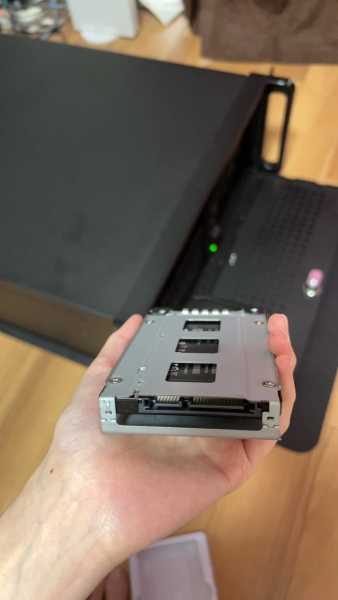
When set in a 2.5-inch enclosure, the size was the same as a standard 2.5-inch SSD. I think it would be difficult to tell that it’s a fake just by looking at it.
Authenticity confirmation work in Linux environment
Usage environment
- OS: OpenSUSE Tumbleweed (kernel 6.16)
- How to check: smartctl, hdparm, dd, etc.
First, we will check the Smart information.
sudo smartctl -i /dev/sdd
smartctl 7.5 2025-04-30 r5714 [x86_64-linux-6.16.3-1-default] (SUSE RPM)
Copyright (C) 2002-25, Bruce Allen, Christian Franke, www.smartmontools.org

=== START OF INFORMATION SECTION ===
Device Model:     SSD 2TB
Serial Number:    005064
LU WWN Device Id: 0 000000 000000000
Firmware Version: VE0R530S
User Capacity:    2,198,466,245,520 bytes [2.04 TB]
Sector Size:      512 bytes logical/physical
Rotation Rate:    Solid State Device
Form Factor:      2.5 inches
TRIM Command:     Available, deterministic
Device is:        Not in smartctl database 5/5706
ATA Version is:   ACS-3, ATA8-ACS T13/1699-D revision 6
SATA Version is:  SATA 3.0, 6.0 Gb/s (current: 6.0 Gb/s)
Local Time is:    Thu Sep 4 13:56:41 2025 JST
SMART support is: Available - device has SMART capability.
SMART support is: Enabled

lsblk -o NAME,MODEL,SIZE /dev/sdd
NAME MODEL     SIZE
sdd  SSD 2TB   1.9T
There are many strange parts. First of all, the Device Model was originally displayed as Samsung 870 Evo, but it was ambiguously displayed as “SSD 2TB“. Also, regarding the serial number, it is “005064“, which is a fairly appropriate number. LU WWN Device ID is also all zero which is abnormal. Since it is unregistered in the smartctl database, I feel that if it is a genuine product, it should definitely be registered.
Next, perform a performance test.
sudo hdparm -Tt /dev/sdd

/dev/sdd:
Timing cached reads:   20910 MB in  1.99 seconds = 10519.90 MB/sec
Timing buffered disk reads: 1524 MB in  3.00 seconds = 507.60 MB/sec
I think the speed is relatively normal for the first measurement.
Next, I tried the dd command.
sudo dd if=/dev/zero of=/dev/sdd bs=1M count=200000 status=progress
104857600 bytes (105 MB, 100 MiB) copied, 0.2 s, 524 MB/s
524288000 bytes (524 MB, 500 MiB) copied, 1.1 s, 477 MB/s
1048576000 bytes (1.0 GB, 1.0 GiB) copied, 2.3 s, 456 MB/s
5242880000 bytes (5.2 GB, 4.9 GiB) copied, 11.8 s, 444 MB/s
10737418240 bytes (11 GB, 10 GiB) copied, 24.2 s, 444 MB/s
21474836480 bytes (21 GB, 20 GiB) copied, 49.1 s, 437 MB/s
42949672960 bytes (43 GB, 40 GiB) copied, 105.8 s, 406 MB/s
64424509440 bytes (64 GB, 60 GiB) copied, 168.2 s, 383 MB/s
85899345920 bytes (86 GB, 80 GiB) copied, 235.7 s, 364 MB/s
107374182400 bytes (107 GB, 100 GiB) copied, 318.9 s, 337 MB/s
128849018880 bytes (129 GB, 120 GiB) copied, 445.2 s, 289 MB/s
129127219200 bytes (129 GB, 120 GiB) copied, 447.8 s, 288 MB/s
129405419520 bytes (129 GB, 120 GiB) copied, 450.1 s, 288 MB/s
^C
129405419520 bytes (129 GB, 120 GiB) copied, 450.134 s, 287 MB/s

# 速度を再確認
sudo hdparm -Tt /dev/sdd

/dev/sdd:
Timing cached reads:   20845 MB in  1.99 seconds = 10477.39 MB/sec
Timing buffered disk reads: 570 MB in  3.00 seconds = 190.00 MB/sec

# 再度ddを実行
sudo dd if=/dev/zero of=/dev/sdd bs=1M count=50000 status=progress
52428800 bytes (52 MB, 50 MiB) copied, 0.3 s, 175 MB/s
104857600 bytes (105 MB, 100 MiB) copied, 0.6 s, 175 MB/s
524288000 bytes (524 MB, 500 MiB) copied, 3.1 s, 169 MB/s
1048576000 bytes (1.0 GB, 1.0 GiB) copied, 6.4 s, 164 MB/s
You can see that the speed is getting slower and slower.
I tried hdparm several times after waiting a while or turning off the power, but the speed did not return to normal. Are you sure you haven’t completely freed up your cache?
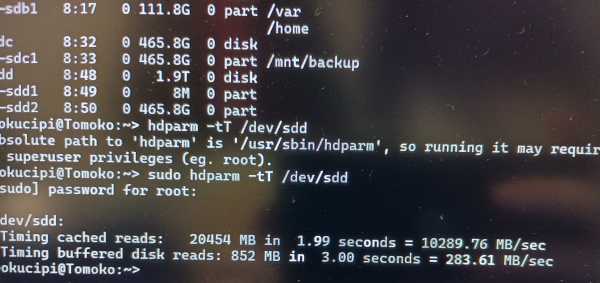
This result shows the cache exhaustion pattern of a typical fake SSD. It is thought that the cache was depleted due to writes exceeding the true capacity, resulting in a significant performance deterioration.
From the results of the dd command, it was recognized as 2TB, but from the write test results, the actual capacity was found to be approximately 128GB…
SSD decomposition job
In order to confirm the internal structure of the fake SSD, we disassembled it. This type of SSD can be disassembled relatively easily, and no special tools are required as long as you have a thin spatula etc.
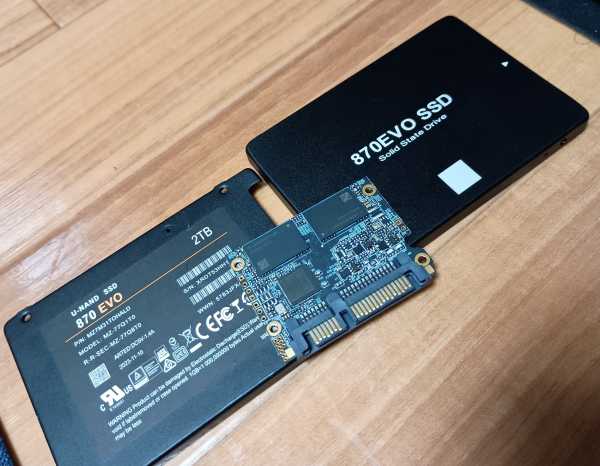
The notation for the controller chip was intentionally omitted, but it looks vaguely as RAYMX. This controller is often used for cheap SSDs in China and is known to have quality control issues.
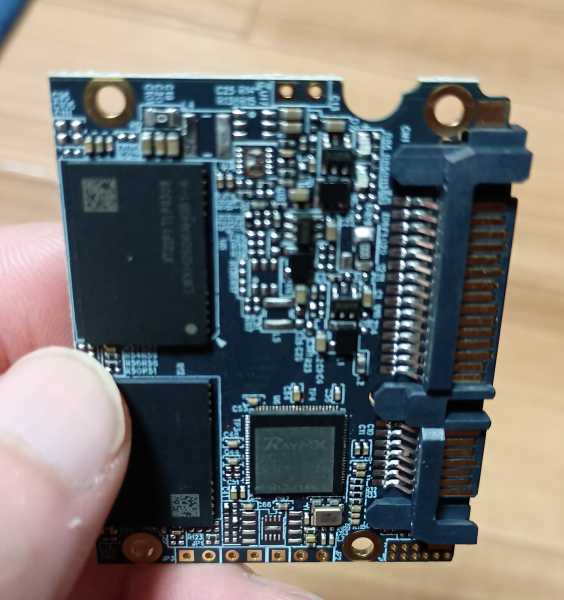
The NAND flash memory had no manufacturer’s information and was only attached to the front, so it would be 64GB x 2 and 128GB each.
This configuration confirms that the SSD is actually 128GB but is being sold as 2TB.
Returns/refunds
Since this product was an AliExpress Choice item (product with guaranteed quality), it was eligible for return/refund guarantee.
Personally, in order to return this item, I had to wrap the fake SSD again and give it to the shipping company, so I asked for a refund only, but they stuck to their stance that they would issue a refund if I returned it. I can’t help but have an unusable SSD, but I’m also annoyed that it’s being sold as a product again, and personally I wanted to keep it as a fun item, but I gave up and returned it.
This time, I checked using Linux commands, but sophisticated counterfeit products may also forge model names and serial numbers. Additionally, there are many products that initially operate normally with commands such as hdparm and dd. If you want to be sure whether the product is genuine or not, you can enter the serial number on the manufacturer’s page, so please use that to confirm.
This time it was clearly a fake, so I didn’t buy it…
He said that you should be careful when buying an SSD at Ariek.
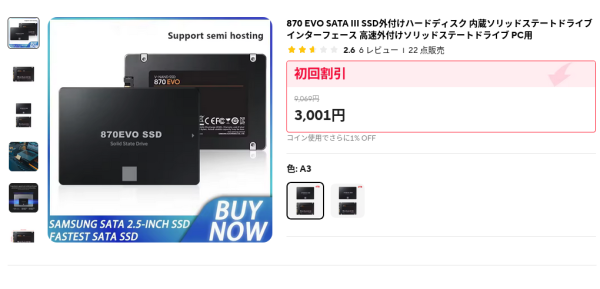
We recommend purchasing actual genuine products from official stores such as Amazon.
End