



Story about changing from ASUS X99-S to ASUS Z10PA-D8
This article is a translation of the following my article:
Original: ASUS X99-S→ASUS Z10PA-D8に変えた話
* Translated automatically by Google.
* Please note that some links or referenced content in this article may be in Japanese.
* Comments in the code are basically in Japanese.
by bokumin
My experience buying ASUS Z10PA-D8
Introduction
The web server that runs this site has been using a desktop motherboard, Asus X99-S. This generation of Xeon does not have a GPU integrated inside the CPU, so it was necessary to separately insert and start the low power consumption GT710.
The configuration consisted of a Xeon E5 2650L v4 CPU, 8 8GB memory (64GB), 3 2.5-inch HDDs, 4 CPU fans + 4 case fans, and the power consumption was about 73W. In fact, I thought this was low enough, but considering I was going to run it 24 hours a day…I personally thought it would be nice to lower the power to around 40W to 50W, so I disabled unused USB ports in the BIOS settings, and reduced the memory from 8 to 4. However, the power consumption did not change from 73W.
Personally, this is the first time I’ve seen no change even after removing memory, and I’m just speculating, but I thought it might be possible that the X99 chipset continues to supply a constant amount of power to the memory controller and the entire memory channel. In other words, even if a memory slot is empty, the channel and controller itself remain powered, so it may be difficult to see a difference depending on whether there is an actual memory chip or not.
*This is just speculation. It is possible that DDR4 memory consumes extremely low power when idle and in self-refresh mode, so the actual power consumption is much lower than expected (less than 1W per memory card, etc.), and even if you remove 4 memory cards, the total difference may be less than a few Watts (I thought about this when I was writing this blog).
Migration to Asus Z10PA-D8
I managed to get Asus Z10PA-D8, so I changed the motherboard.
For motherboard specifications Click here
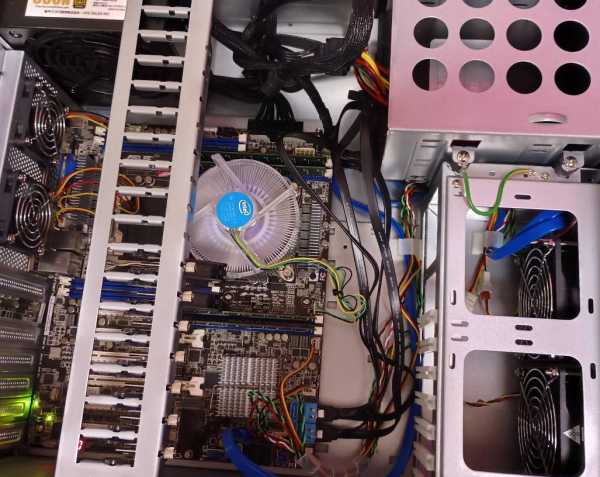
The memory used was Micron’s 2133Mhz RDIMM, which is listed on the Approved Vendor List (specifications are here).
Other configurations are the same as the previous Asus X99-S.
This motherboard is a server/workstation motherboard with Intel C612 chipset and is compatible with Xeon E5-2600 v3/v4 series. Although it is equipped with dual CPU sockets, in the case of a single CPU configuration, only 4 memory slots can be used, so we conducted actual measurements with a 32GB (8GB x 4) configuration.
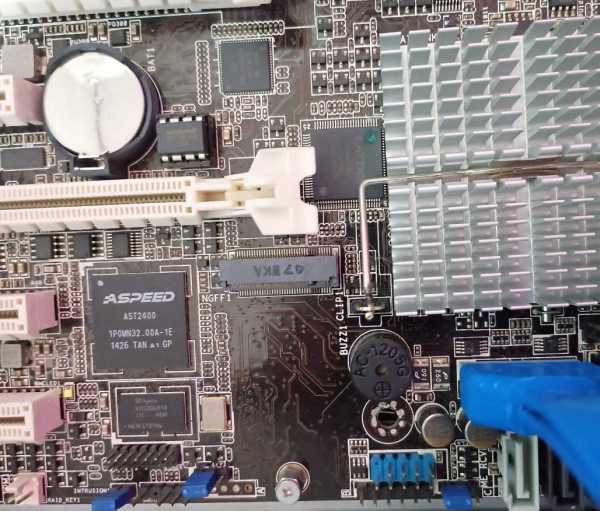
The biggest feature of this motherboard is that it has an onboard ASPEED AST2400 graphics chip. This eliminates the need for an external graphics card such as the GT710, which was required in the X99 configuration. Another nice thing about it is that it’s small enough to fit in a typical ATX case.
Although this motherboard has an M.2 slot, it is only compatible with 2242 (22mm width x 42mm length) devices, and the general 2280 size cannot be inserted, so please be careful.
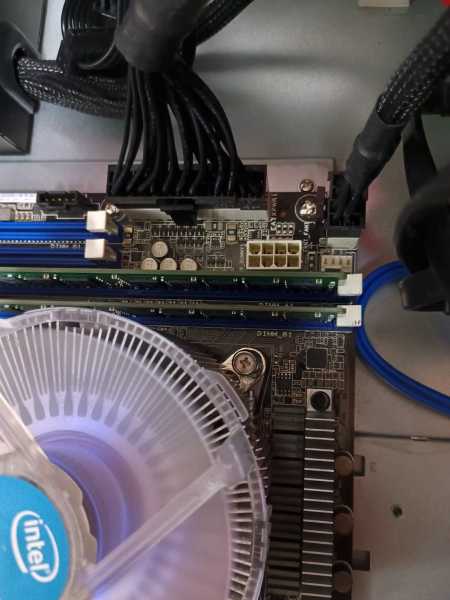
Two 8-pin CPU power supplies are included, but if the CPU TDP is 85W or less, one is fine. If you use a dual configuration or use a CPU with a TDP of 105W or higher, please note that it will not start unless both are installed.
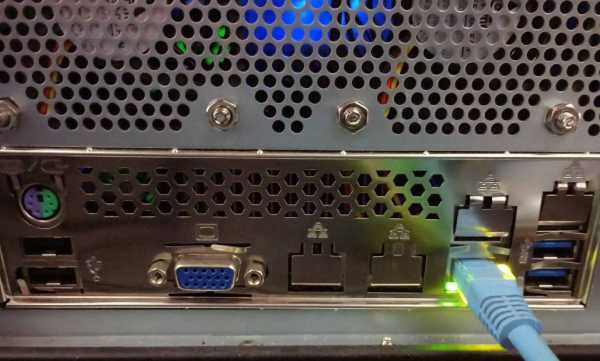
This is the IO on the back. Video output is D-sub only.
Consumption Electricity Certificate
When I measured it with a watt checker, the result was 44W (excluding 7W from the firewall server and UPS). It fell within the expected range of 40W to 50W.
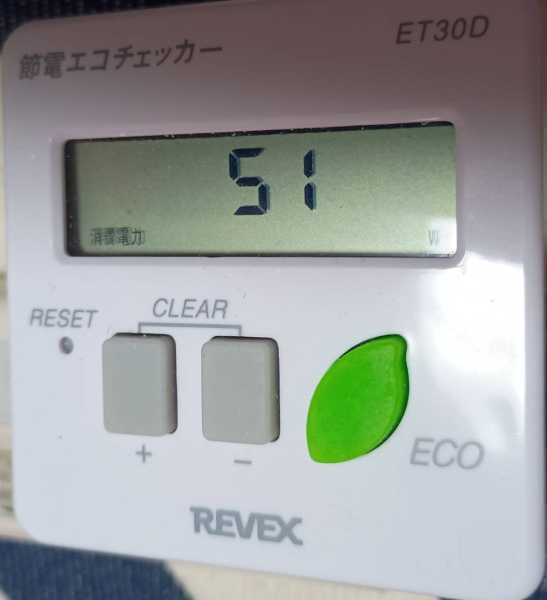
↑FW+UPS+Web server (ASUS Z10PA-D8)=51W
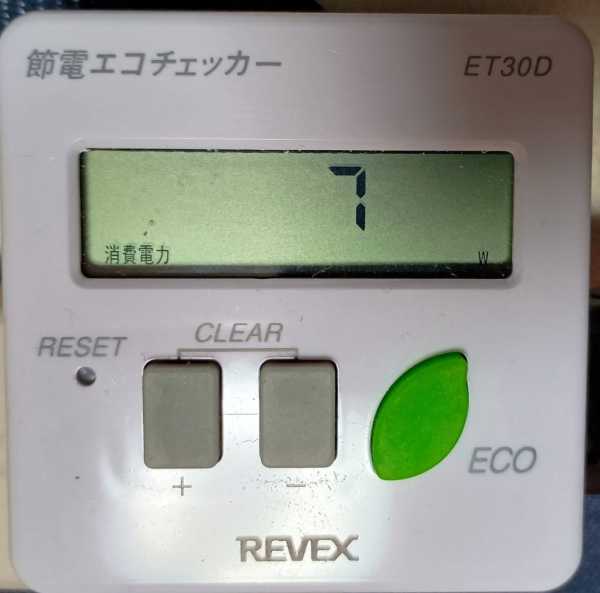
↑FW+UPS=7W
I think that the reason for this reduction in power consumption is the removal of GT710 and the effectiveness of server-grade power management.
After that, when we actually put a heavy load on the CPU, the power consumption increased to about 140W. When the same processing was performed on the X99-S, the power increased to about 160W, so although C-State is functioning in both cases, it can be seen that the reduction was about 20W due to the presence or absence of GT710 and the difference in motherboard design. Personally, when I have a single configuration, it only recognizes 4 pieces of memory, so I wonder if that’s the difference.
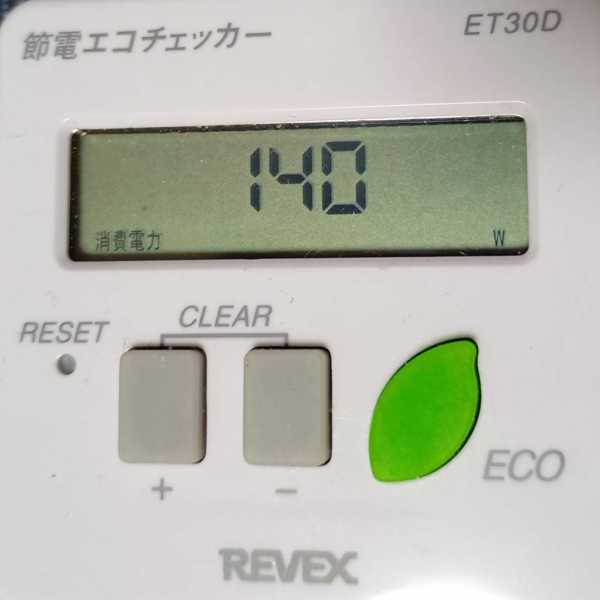
↑When applying a certain amount of load to the CPU = 140W
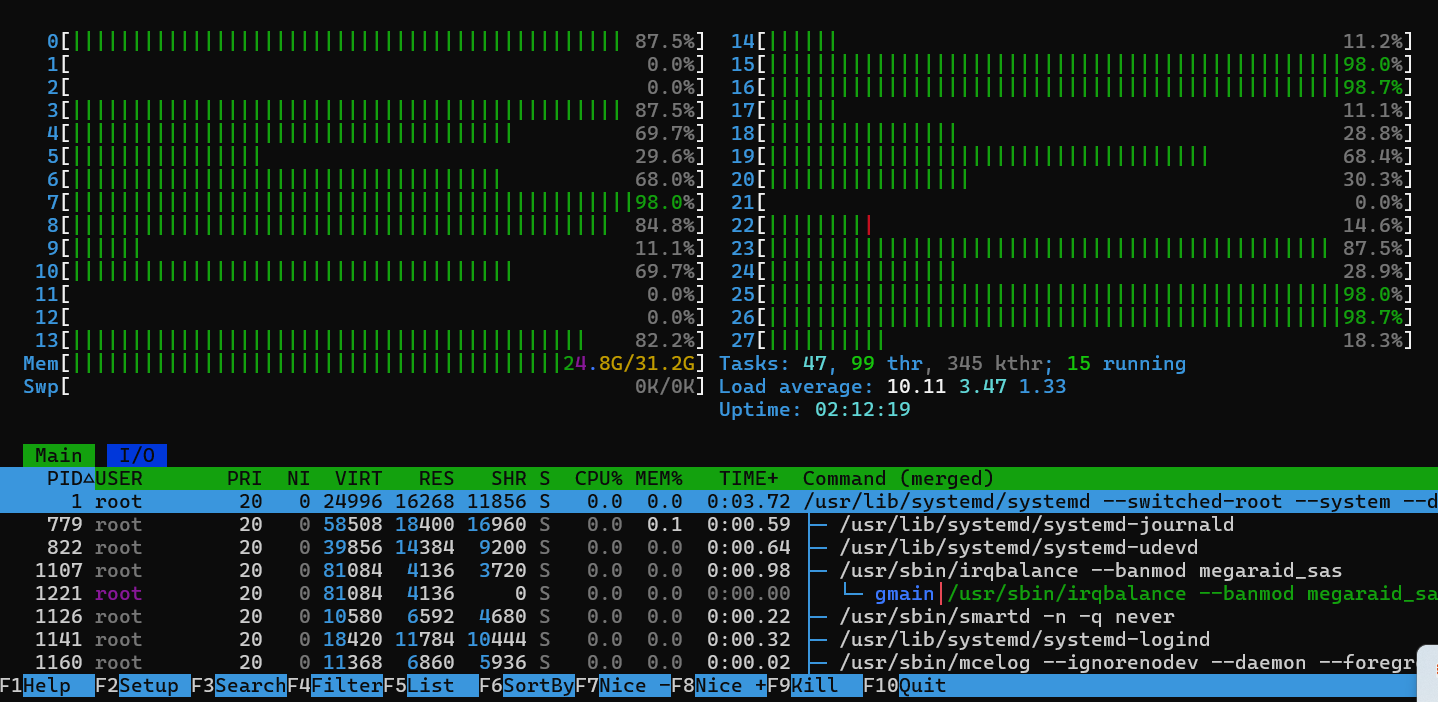
This is how the load is actually applied. It’s spectacular considering there are 28 threads.
Since there was no need to attach GT710, the temperature inside the case decreased and the CPU temperature also decreased by about 5℃.
$ sensors
Package id 0:  +30.0°C  (high = +63.0°C, crit = +73.0°C)
Core 0:        +24.0°C  (high = +63.0°C, crit = +73.0°C)
Core 1:        +24.0°C  (high = +63.0°C, crit = +73.0°C)
Core 2:        +25.0°C  (high = +63.0°C, crit = +73.0°C)
Core 3:        +25.0°C  (high = +63.0°C, crit = +73.0°C)
Core 4:        +26.0°C  (high = +63.0°C, crit = +73.0°C)
Core 5:        +26.0°C  (high = +63.0°C, crit = +73.0°C)
Core 6:        +26.0°C  (high = +63.0°C, crit = +73.0°C)
Core 8:        +25.0°C  (high = +63.0°C, crit = +73.0°C)
Core 9:        +25.0°C  (high = +63.0°C, crit = +73.0°C)
Core 10:       +26.0°C  (high = +63.0°C, crit = +73.0°C)
Core 11:       +25.0°C  (high = +63.0°C, crit = +73.0°C)
Core 12:       +25.0°C  (high = +63.0°C, crit = +73.0°C)
Core 13:       +25.0°C  (high = +63.0°C, crit = +73.0°C)
Core 14:       +25.0°C  (high = +63.0°C, crit = +73.0°C)
Conclusion
Perhaps this generation of motherboards is still popular, as they are still being traded at fairly high prices. I feel that the Z10PA-D8 is a motherboard suitable for personal server use due to its reduced power consumption, onboard graphics, and standard ATX size.
In my case, I basically left the default BIOS settings without any problems, but disabling unused network ports has helped reduce power consumption, albeit slightly. The C-state part works fine by default. I try to disable things that I don’t personally use in the BIOS, so I disabled things like the PCIe slot and SSATA, but there was no big change in power consumption. It may be more effective to disable it with a jumper pin, etc.
If you are considering building a server with low power consumption for similar purposes, I think the Z10PA-D8 is worth considering as an option. However, please note that the M.2 slot only supports 2242 size and that the number of memory slots is limited to 4 in a single CPU configuration.
I’m thinking of trying dual mode next time, but I wonder how much power consumption will increase…