



This is the only WordPress plugin that I personally think is a must-have.
This article is a translation of the following my article:
Original: 超個人的にこれだけはいれておけと思うWordPressプラグイン
* Translated automatically by Google.
* Please note that some links or referenced content in this article may be in Japanese.
* Comments in the code are basically in Japanese.
by bokumin
WordPress plugins that I personally think are a must-have
Introduction
The biggest appeal of WordPress is its extensibility through plugins, but if you add too many plugins, your site will become heavy, the database will get dirty, and security holes will increase.
Especially from the perspective of an engineer who often directly touches the backside of servers (Linux and databases), I would like to avoid “plug-ins that create a large number of unique tables in the database” and “all-in-one systems with too many functions” as much as possible.
This time, I would like to introduce 6 very personal but useful plugins that are actually used on this blog and were selected based on the criteria of being simple, lightweight, and does not pollute the database.
Bogo
Multilingualization without polluting the database
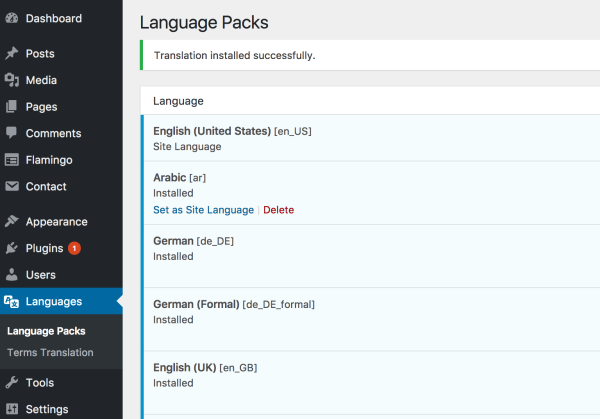
WPML is a well-known multilingual plug-in for WordPress, but Bogo’s biggest strength is that it uses the standard WordPress posting function as is and does not create its own tables.
It has a very simple structure in which articles in different languages, such as “Japanese articles” and “English articles,” are created as separate posts and linked together.
Thanks to this, when building the automatic translation and automatic posting system using Linux commands and shell scripts in the previous article, I was able to implement it smoothly without having to worry about the database structure. This is a plug-in that I highly recommend to developers.
The plugin page is here.
Classic Editor
People who want to think text-based, insurance in case of breakdown
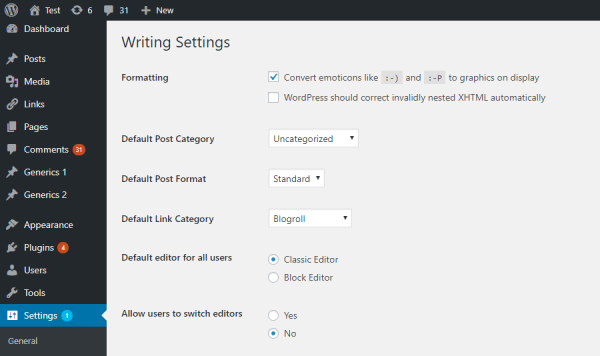
It is strongly recommended that people who usually use the block editor (Gutenberg) have it installed, even if it is disabled.
When using Gutenberg, due to plugin conflicts or direct DB operations, you may receive an error saying “This block contains unexpected content” and the block will become completely white. When this happens, the only thing you can do on Gutenberg is press the “Recover” button, and there is no way to check specifically where the code is broken.
In such a case, if you have Classic Editor installed, by switching the editing mode for each post, you can forcibly display and edit the contents of the block that is no longer displayed due to an error as HTML.
Since you can visually check the cause of breakage and fix it, it is worth keeping in place of a talisman as a troubleshooting tool in case of emergency.
The plugin page is here.
WP Statistics
For those who want to manage their data on a server
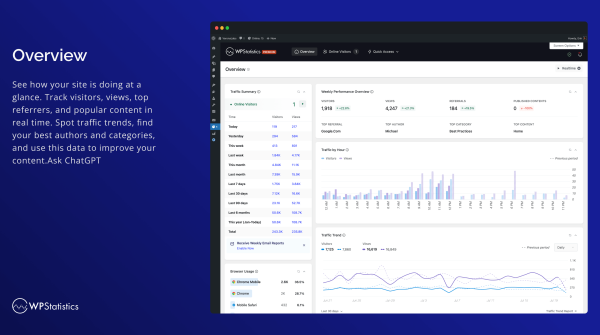
Google Analytics (GA4) is commonly used for access analysis, but it is cumbersome to manage, such as the requirement to install a cookie consent banner and GDPR compliance. It’s getting more and more troublesome every year.
WP Statistics is a plug-in that completes all access analysis within its own server. It’s privacy-friendly because it doesn’t send data to an external server, and above all, I like the ease of being able to quickly check the number of visitors on the management screen.
The plugin page is here.
WPS Hide Login
Login screen URL change
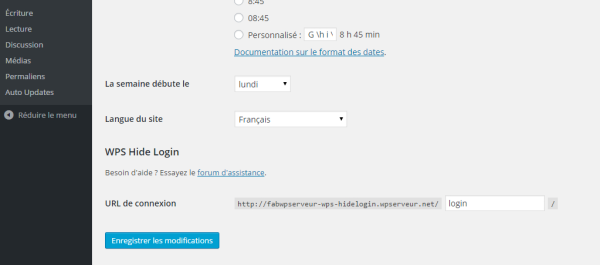
This is a plugin that changes the WordPress login URL to a different string.
By simply installing this and changing the URL, you can shut out 99% of brute force attacks by bots. This is a plugin that should be installed at the same time as the site launch to prevent the server access log from being filled with “404 errors”.
*Not all security will be strengthened just by installing this. Be sure to respond appropriately to each threat.
The plugin page is here.
Conditionally display featured image on singular pages and posts
Solve the duplicate issue of featured images
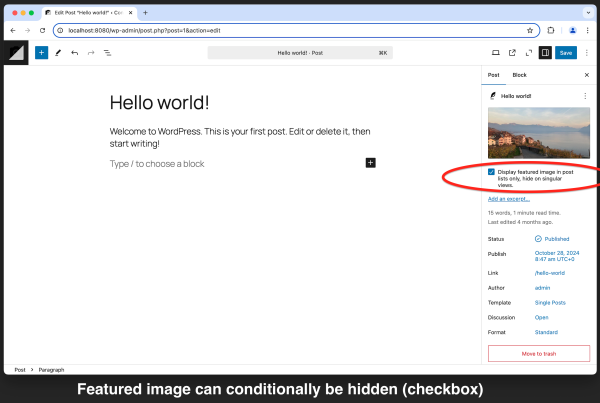
This is useful if you want to display an eye-catching image in the article list (archive), but when you open an individual article page, it would be a nuisance to see the same huge image at the beginning.
It’s a simple but useful tool that allows you to control what you want to display in a list but not in individual articles with a single checkbox.
The plugin page is here.
Search Regex
Fast search and replace
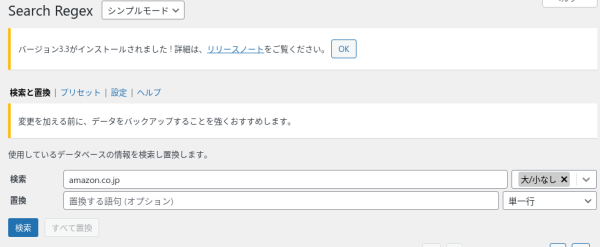
This is a plugin that allows you to easily search within articles. You can search the DB directly, but this is easier to see visually and allows you to edit each article, which is useful for changing link destinations.
The plugin page is here.
Text Size Adjust
Change font size on smartphone and PC
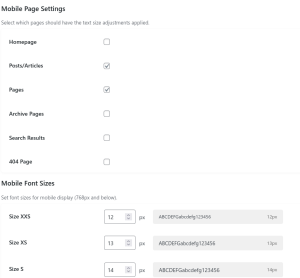
This is a self-made plugin.
A simple plugin to set and adjust text size for the entire site. I couldn’t find anything that already existed, so I created my own. You can change the font size on your smartphone and PC.
The plugin page is here.
These are the WordPress plugins that I love.
Multi-functional plugins like Jetpack are certainly useful, but they tend to load unused features and make the site heavy.
We believe that by selecting a tool based on the UNIX philosophy of “a lightweight tool with only the necessary functions,” it will be possible to create a robust blog that will not become heavy even after long-term use.
I hope this will be helpful to someone.
End