



AlmaLinux OS 9.5 Review
This article is a translation of the following my article:
Original: AlmaLinux OS 9.5レビュー
* Translated automatically by Google.
* Please note that some links or referenced content in this article may be in Japanese.
* Comments in the code are basically in Japanese.
by bokumin
AlmaLinux OS 9.5 Review
Introduction
On November 18, 2024 (local time), AlmaLinux released 9.5, a new stable release.
Official website: https://almalinux.org/
With the release of RHEL9.5 on the 12th, the RHEL series OracleLinux and RockyLinux are likely to be updated within this week.
The code name for AlmaLinuxOS 9.5 is Teal Serval. AlmaLinux uses color + animal (feline), so it has a code name like this. The announcement includes improvements in performance, security, and support for web applications compared to 9.4.
In this article, I would like to actually install it and review the usability.
almalunux
*Personally, I had an image of the OS that came out when changing from CentOS to CentOS stream.
CloudLinux, makers of CloudLinuxOS, a commercial Linux distribution, developed AlmaLinux as a community-maintained spiritual successor to CentOS, with the goal of binary compatibility with current versions of RHEL. (From Wikipedia)
In summary
- Born when CentOS announced the transition to CentOS Stream in 2021
- Maintain binary compatibility with RHEL
- Assumed for use in a production environment in a company
From this, we can see that AlmaLinux, like CentOS, has been developed for use in web servers and database servers as a “Server OS that provides the same stability as RHEL for free“.
Changes in 9.5
I read the Release Note and wrote down what I thought was important.
There are a few things to note about the update from 9.4 to 9.5.
The first step is to update the compiler. Gain access to the latest language features and tools.
- GCC Toolset 14
- LLVM Toolset 18.1.8
- Rust Toolset 1.79.0
- Go Toolset 1.22
- GCC 11.5
Secondly, security is strengthened. It enables support for the latest encryption standards and more detailed security controls.
- Upgrade to OpenSSL 3.2.2
- Support for certificate compression extension (RFC 8879)
- Added support for Brainpool curves in TLS 1.3
- Improving SELinux policy
- Extending Java algorithm selection control for crypto-policies
Finally, we will add a new package. The latest versions of .NET9.0, BIND, and Nodejs will be newly added.
- .NET 9.0
- BIND 9.18
- Node.js 22
Download ISO file

This time, I downloaded it from mirror site.
I thought that a standard Linux distribution was about 2 to 5 GB, or at most 7 GB, but when I downloaded it, it was about 11 GB. The smallest version only takes about 2GB, but enterprise Linux has about this much capacity…I’d like to download and use the 11GB version for now.
Installation process
The minimum requirements for AlmaLinux9.5 are as follows.
- RAM: 最低1.5GB
- Disk space: 10GB minimum – 20GB recommended
*If you use the GUI environment, more RAM and disk space will be required. In the case of the minimum configuration (2GB) for server use, it can be operated with less specifications than the above requirements. Also, when considering use in a virtual environment, it is recommended that the host machine has sufficient resources
I put the DVD image on a USB memory and installed it on my laptop. The installer itself was easy to use, and I felt it had plenty of options for partitioning, etc.
I had the impression that the Japanese language support was solid, as it was displayed in Japanese during initial setup.
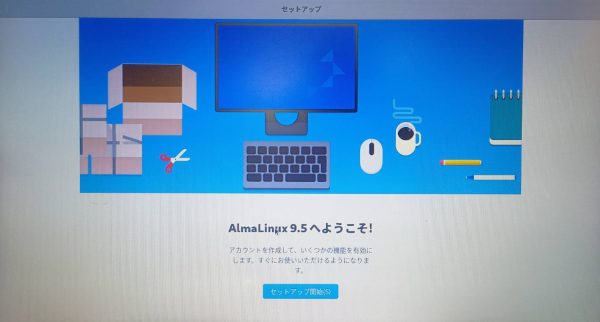
I did not create a user during installation, but I was prompted to create one again during initial setup.
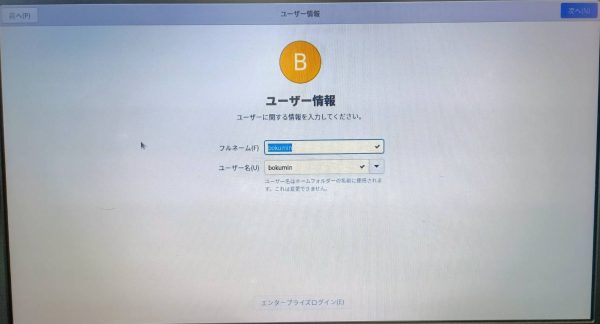
At the same time, I was also asked to set a password and link other accounts such as a Google account.
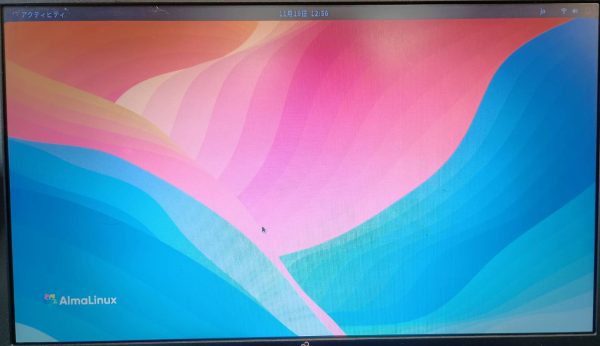
When the setup was completed and the desktop environment opened, it was Gnome. Is it because Gnome is the standard even in RHEL?
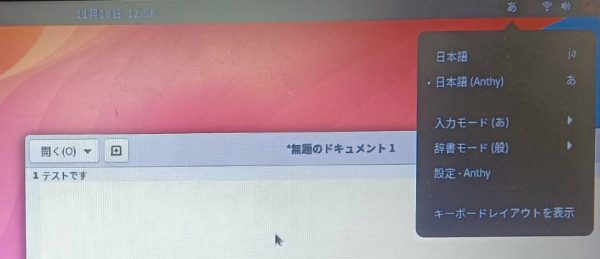
What I personally like is that you can immediately select Japanese input (Anthy) using the input switch in the top right corner.
I thought this setting was good because it is a Linux distribution where the method for Japanese input differs depending on the OS and the person.
Thanks in part to Gnome, I think Linux has a more approachable feel that is different from the traditional image of business Linux.
Check for updates
Let’s check whether the changes have actually been made from 9.4 to 9.5.
You can check whether the version has actually been updated by entering the command below.
What I was personally concerned about was the version of Podman, and the latest 5.2.2 was installed. There was nothing mentioned in the release notes, but maybe it’s because of a difference in development policy…?
# OSのバージョン確認(9.5)
$ cat /etc/almalinux-release
AlmaLinux release 9.5 (Teal Serval)

# Opensslのバージョン確認(3.2.2)
$ openssl version
OpenSSL 3.2.2 4 Jun 2024 (Library: OpenSSL 3.2.2 4 Jun 2024)

#Apacheの確認(2.4.62)
httpd -v
Server version: Apache/2.4.62 (AlmaLinux)
Server built:   Au 3 2024 00:00:00

#podmanの確認(最新は5.2.2)
podman -v
podman version 5.2.2

#nodeの確認(v22)
node --version
v16.20.2
In normal installation, only packages fixed to that OS version can be created. The following steps are required to increase the node version to 22.
# 利用可能なNode.jsのストリームを確認
$ dnf module list nodejs
AlmaLinux 9 - AppStream
Name     Stream   Profiles                               Summary
nodejs   18       common [d], development, minimal, s2i  Javascript runtime
nodejs   20       common [d], development, minimal, s2i  Javascript runtime
nodejs   22       common [d], development, minimal, s2i  Javascript runtime

$ sudo dnf module reset nodejs     # 既存のストリームをリセット #必要なら
$ sudo dnf module enable nodejs:22

$ sudo dnf install nodejs
#または
$ sudo dnf update nodejs

$ node --version
v22.4.1
In this way, RedHat systems can use multiple versions of the same package in parallel by using Appstreams. I think the strength of the RedHat system is that you can use the version you need while avoiding conflicts.
Since it is a RedHat-based Linux distribution, I think one of its strengths is that it is easy to manage packages using dnf.
#dotnetの場合(9.0.0)
$ dnf list dotnet*
メタデータの期限切れの最終確認:02:29:55 前の 2024年11月19日 13時24分25秒 に実施しました。
インストール済みパッケージ
dotnet-host.x86_64              9.0.0-preview.7.24405.7-0.2.el9    @appstrea m
利用可能なパッケージ
dotnet-apphost-pack-6.0.x86_64  6.0.36-1.el9_5              appstream
dotnet-apphost-pack-7.0.x86_64  7.0.19-1.el9_4              appstream
dotnet-apphost-pack-8.0.x86_64  8.0.11-1.el9_5              appstream
dotnet-apphost-pack-9.0.x86_64  9.0.0-preview.7.24405.7-0.2.el9    appstream
dotnet-runtime-6.0.x86_64       6.0.36-1.el9_5              appstream
dotnet-hostfxr-7.0.x86_64       7.0.19-1.el9_4              appstream
dotnet-hostfxr-8.0.x86_64       8.0.11-1.el9_5              appstream
dotnet-hostfxr-9.0.x86_64       9.0.0-preview.7.24405.7-0.2.el9    appstream
dotnet-runtime-6.0.x86_64       6.0.36-1.el9_5              appstream
dotnet-runtime-7.0.x86_64       7.0.19-1.el9_4              appstream
dotnet-runtime-8.0.x86_64       8.0.11-1.el9_5              appstream
dotnet-runtime-9.0.x86_64       9.0.0-preview.7.24405.7-0.2.el9    appstream
Finally, check if the SeLinux policy has been updated.
$ sestatus
SELinux status:                 enabled
SELinuxfs mount:                /sys/fs/selinux
SELinux root directory:         /etc/selinux
Loaded policy name:             targeted
Current mode:                   enforcing
Mode from config file:          enforcing
Policy MLS status:              enabled
Policy deny_unknown status:     allowed
Memory protection checking:     actual (secure)
Max kernel policy version:      33
Impressions and summary
For people who regularly work with RedHat-based OSes or those who used CentOS, I think this is easier to use than Ubuntu.
The commands are also based on RedHat, so I think it’s easy to get used to.
The advantage of RedHat-based Appstreams is especially in maintaining backward compatibility in the development environment.
For example, if you use an older GPU, you may need a certain older version of GCC. Other distributions (e.g. SUSE) require manual installation of older GCC in this case, which can complicate dependency resolution. Appstreams allows you to easily switch as shown below.
# 利用可能なGCCのバージョンを確認
$ dnf module list gcc-toolset

# 特定バージョンの有効化
$ sudo dnf module enable gcc-toolset:<version>

# インストール
$ sudo dnf install gcc-toolset
If you are interested, please try using it once.
End
Follow-up: